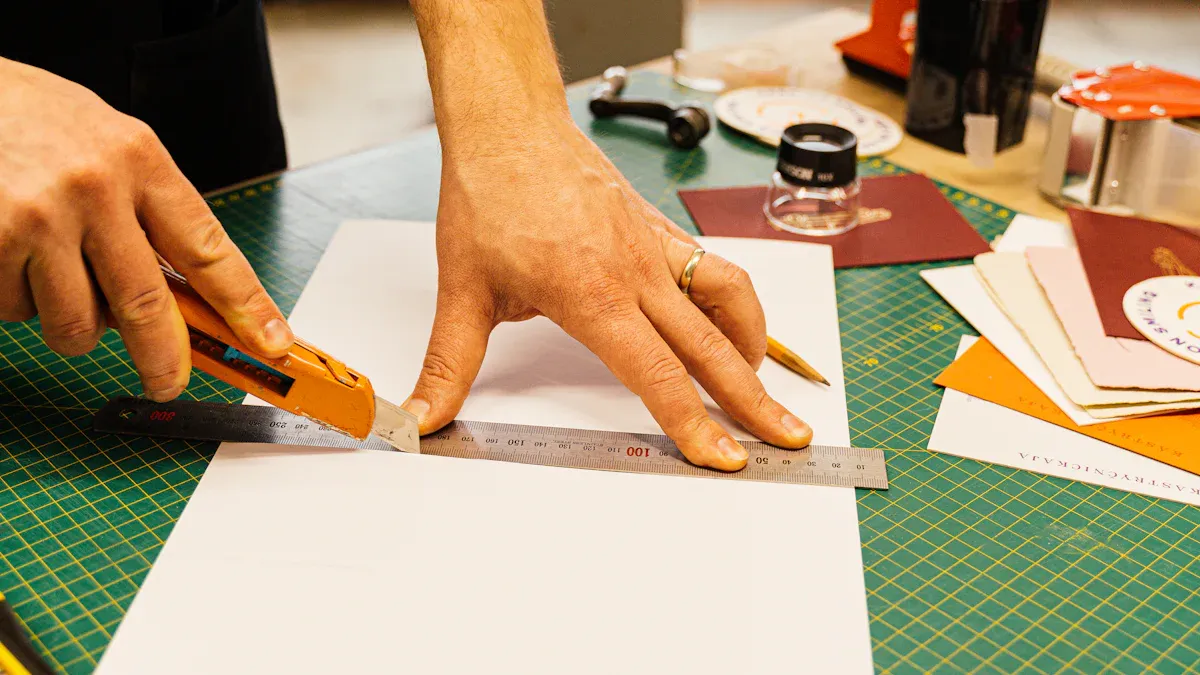
Advanced technology helps the packaging and printing industry grow. You can get very exact cuts in Commercial Die Cutting with AutoCAD. This digital method makes sure each detail is correct. Oyang works hard to be creative and care for the environment. This lets you reach quality goals and make less waste. Using smart machines and software together helps your business do better work.
Key Takeaways
Use AutoCAD to make exact die cut designs. It lets you make correct layouts and find mistakes early.
Connect the Oyang Die Cutting Machine with AutoCAD for smooth work. This lowers mistakes and gives good quality cuts.
Pick eco-friendly materials for packaging. This makes customers happy and helps the planet.
Check and take care of your die cutting equipment often. This keeps the quality steady and stops problems in production.
Keep up with new trends in the industry. Using new technology can make work faster and bring more customers.
Commercial Die Cutting in Packaging
Precision and Quality Needs
Commercial die cutting shapes materials for packaging. This helps make packaging that fits products well. You can use commercial die cutting with many materials. Here is a table with the most common ones:
| Material Type | Description |
| Paper | Used for many types of packaging. |
| Cardboard | Strong and used in boxes a lot. |
| Plastic | Flexible and tough for packaging. |
| Fabric | Used for special packaging needs. |
Being exact is important at every step. Good packaging needs accurate cuts to protect products and look nice. Commercial die cutting adds creases, scores, and perforations. These features make boxes stronger and easier to put together. You also get the same quality every time, which helps keep items safe during shipping and storage.
Tip: Check your die cutting equipment often. If dies are worn out, folds can be weak or edges can look messy. This can make your packaging lower quality.
Oyang’s machines help you get very exact cuts. You can trust their technology to keep your packaging sharp and strong. Automated die cutting machines work fast and give you more control.
Industry Applications and Trends
Many industries use commercial die cutting. Food and drink companies use it for safe and nice-looking packaging. E-commerce businesses need special packaging to protect products and impress buyers. More people want eco-friendly packaging now. Companies use recycled paper, bioplastics, and corrugated cardboard to cut down on waste and pollution.
Commercial die cutting lets you make packaging that stands out.
Automation, AI, and robotics help you work faster and more accurately.
More companies want automatic die cutters for better and greener solutions.
You can use commercial die cutting to keep up with new trends and rules. With Oyang’s help, you can make packaging that is strong and good for the planet.
AutoCAD for Precise Die Cut Designs
![AutoCAD for Precise Die Cut Designs]()
Image Source: pexels
Key Features for Accuracy
You can use cad to create very accurate die cut layouts. This software gives you many tools that help you make complex designs with ease. When you work on packaging, you need every line and curve to be perfect. Cad makes this possible.
Here is a table showing some of the most important features in cad for die cutting:
| Feature | Benefit |
| 2D and 3D Visualization | Helps in refining designs before production. |
| Simulation of Die Casting | Identifies potential defects early in the process. |
| Compliance with Standards | Ensures designs meet manufacturing requirements. |
You can use 2D and 3D visualization to see your design from every angle. This helps you spot mistakes before you start cutting. Simulation tools let you test your design and find problems early. When you follow industry standards in cad, you make sure your layouts will work with real machines.
Cad gives you special commands that boost your accuracy. The SNAP command lets you move your cursor in set steps. This keeps your lines straight and your shapes even. Object Snaps, or OSNAP, help you connect new shapes to exact points on your design. You can use SNAP and OSNAP together to make sure every part of your layout lines up perfectly.
The SNAP command in cad keeps your drawings neat by locking your cursor to a grid.
Object Snaps let you attach new shapes to exact spots, like corners or centers.
Using both SNAP and OSNAP helps you build complex designs with perfect alignment.
You can also use pattern generation tools in cad. These tools help you repeat shapes and lines across your design. This is very useful when you need to make many copies of the same cut or fold. You can save time and avoid mistakes.
When you use cad for 3d packaging designs, you can see how your box or package will look before you cut anything. This helps you make better choices and avoid waste. You can also share digital cad files with your team or your machine, making the whole process faster.
Integrating with Oyang Die Cutting Machine
You can take your cad integration to the next level with the Oyang Die Cutting Machine. This machine works well with digital cad files. You can send your layouts straight from your computer to the machine. This means you get less chance for errors and more laser cutting precision.
The Oyang Die Cutting Machine uses advanced technology to read your cad layouts. It follows your design exactly, even with complex designs. You can cut many types of materials, like cardboard, paper, and plastic. The machine keeps every cut sharp and clean.
Here is how you benefit from using cad with the Oyang Die Cutting Machine:
You save time because you do not need to redraw or adjust your layouts.
You get the same high quality on every piece, even with complex designs.
You can switch between jobs quickly, which helps you handle more orders.
You can trust the Oyang Die Cutting Machine to match your cad layouts with high accuracy. This synergy lets you create packaging that stands out. You can meet strict industry standards and deliver products that look great and protect what is inside.
Note: When you use cad and the Oyang Die Cutting Machine together, you get a smooth workflow from design to production. This helps you keep your business efficient and your customers happy.
Workflow: From Design to Production
![Workflow: From Design to Production]()
Image Source: pexels
Creating Die Cut Files in AutoCAD
You begin by making your die cut file in AutoCAD. First, think about the shape you want for your package. Use CAD tools to draw the outline. Add details like folds and tabs. Make sure all lines connect to form closed shapes. This helps you avoid mistakes later.
Here is a simple checklist for your die cut file:
Remove lines that overlap or repeat.
Set your scale to 1:1 for correct size.
Organize layers so editing is easy.
Add tabs to make your package stable.
Check that all endpoints join together.
Tip: Keeping your layout neat in AutoCAD saves time. It also helps you make fewer mistakes when you move to the next step.
Preparing for Machine Compatibility
You must get your file ready for the laser cutter. Set your units to millimeters or inches. Keep the units the same everywhere. Use layers to separate cut lines from bend lines. Make bend lines dashed so the machine knows where to fold. Delete extra shapes or text that you do not need.
| Property | Requirement | Common Issues |
| Units | Keep the same | Mixed units cause problems with size |
| Scale | Use 1:1 ratio | Wrong scale makes the size wrong |
| Layers | Keep organized | Messy layers confuse the machine |
Check for lines with zero length or shapes that cross themselves. These can make the laser cutter stop or cut badly. Fix these before you export your file.
Exporting to Oyang Die Cutting Machine
Now you can export your design for production. Save your file in a format the Oyang Die Cutting Machine can use, like DXF. Make sure only cut and fold lines show. Upload your file to the machine’s software.
Follow these steps for a smooth process:
Make sure your design uses the right units and scale.
Hide or delete things that are not for cutting.
Set bend lines as dashed.
Save your file and upload it to the Oyang system.
Start the production run.
Note: Careful file prep and export help you work fast. The Oyang Die Cutting Machine uses your digital file to guide the laser cutter. Every cut matches your design. This workflow keeps your packaging production smooth and reliable.
Best Practices for Commercial Die Cutting
Maximizing Accuracy and Efficiency
You can get great results in commercial die cutting by following some key steps. First, make sure your flatbed die cutting machine is set up and working right. Change the speed of your machine for each job. Take care of your tools so they stay sharp.
Here are some things you should do:
Check your flatbed die cutting equipment before you start.
Pick the right speed for each project to get good cuts.
Clean your tools and fix them when they break.
You can use advanced die cutting methods to make your work better. Try CNC machines for very exact cuts. A laser engraver helps you make detailed designs and cuts down on waste. CAD software lets you make layouts that help you avoid mistakes.
Using flatbed die cutting well helps you use materials wisely and save money.
Fast and accurate machines help you finish jobs quickly.
You can use flatbed die cutting equipment for lots of materials, which is very useful.
A laser engraver makes your work even more flexible. You can change materials and designs fast. This helps you fill more orders and keep customers happy.
Tip: Keep your workspace tidy and organize your files. This makes flatbed die cutting easier and helps you work faster.
Sustainable Solutions with Oyang
You can make your die cutting process better for the planet by picking the right tools and ways to work. Oyang Group is a leader in eco-friendly solutions. Their machines use less energy and work with green materials. This helps you lower pollution.
| Sustainable Practice | Description |
| Energy Efficiency | Oyang machines use less power, so you save energy each time you use flatbed die cutting. |
| Renewable Energy | Some places use solar power to cut down on pollution and costs. |
| Eco-friendly Materials | You can pick materials that are good for the earth. |
| Intelligent 3D Warehouse | Smart storage saves room and energy. |
| Versatility in Production | Flatbed die cutting machines work with many materials, so you waste less. |
Oyang’s way is different from other die cutting choices. Their smart machines and green materials help you use less energy and make less waste. You get good products and help the planet. Other companies may only care about speed, but Oyang gives you both good work and eco-friendly options.
A laser engraver from Oyang also helps the planet. It uses less stuff and less energy, so your work is cleaner. Flatbed die cutting is flexible, so you can try new materials and ideas without buying new machines.
Note: If you pick Oyang, you help the planet and keep your business ready for new die cutting challenges.
Troubleshooting and Solutions
Common Design Challenges
You may face several design challenges when working on commercial die cutting projects. These problems can affect the quality of your final product. Knowing what to look for helps you avoid mistakes and save time.
Material selection can cause issues. Flexible materials may not hold their shape. They can shrink by up to 5%. This makes it hard to keep tight tolerances.
Tolerance levels matter. If you do not plan for changes in material size, your cuts may not fit together. This can lead to waste or product failure.
Complex designs add risk. Placing holes too close to the edge or making flange widths too small can weaken your packaging. These mistakes can cause the product to break during use.
Tip: Always test your design with a sample cut before starting full production. This helps you catch problems early.
AutoCAD helps you solve many of these challenges. You can use its simulation tools to check your design. You can adjust your layout to fit the material you choose. This makes your die cut more reliable.
Machine Integration Issues
You may also run into problems when sending your design from AutoCAD to the Oyang Die Cutting Machine. These issues can slow down your workflow.
| Issue | Solution |
| File format not supported | Export your design as a DXF file. |
| Layer confusion | Use clear layer names for cuts and folds. |
| Scale mismatch | Set your scale to 1:1 in AutoCAD. |
| Extra lines or shapes | Clean up your file before exporting. |
If the machine does not read your file, check your export settings. Make sure you only include the lines needed for cutting and folding. Remove any extra text or shapes.
Note: Keeping your files organized and double-checking your settings helps you avoid most integration problems. The Oyang Die Cutting Machine works best with clean, well-prepared files from AutoCAD.
You can make your packaging and printing business better with AutoCAD and the Oyang Die Cutting Machine. These tools help you cut things exactly, finish jobs faster, and use earth-friendly ways. Many companies get bigger when they work on these things:
Spend less money and change plans quickly
Get more buyers who like green packaging
Earn more by using smart and quick methods
Use these tips to get better results. Check out Oyang’s ideas to help your business grow.
FAQ
What materials can you use with the Oyang Die Cutting Machine?
You can use paper, cardboard, corrugated board, and some plastics. The machine works with lots of packaging materials. Every cut is clean and accurate.
How do you prepare AutoCAD files for die cutting?
Set your scale to 1:1. Use layers for cut and fold lines. Save your file as DXF. Take out extra shapes or text. This helps the machine read your design right.
Why should you use AutoCAD for die cut designs?
AutoCAD lets you control every line and shape. You can find mistakes before you start making things. Using digital layouts saves time and cuts down on waste.
How does Oyang support eco-friendly packaging?
Oyang machines use less energy and work with green materials. You can pick recycled paper or biodegradable plastics. This helps you lower your impact on the environment.