You see Die Cut Design in many packages and printed things. This process cuts materials into special shapes very accurately. The packaging industry uses more than 40% of die cutting rules. This is because people want better and greener packaging. Oyang’s Die Cutting Machine is known for working fast and using green technology. It helps you make less trash and better products. When you pick die cutting, you get faster work and use less material.
Key Takeaways
Begin each die cut design project with clear goals. Decide on the size, shape, and color. This helps your packaging do its job well.
Pick eco-friendly materials for die cutting. This helps the planet. It also attracts buyers who want green choices.
Test your designs with prototypes before making many. This finds problems early. It makes sure your packaging works right.
Use Oyang’s Die Cutting Machine for high accuracy and speed. Its special features save time. They also cut down on wasted materials.
Work closely with your team and makers. Talking openly leads to better designs. It also means fewer mistakes in the die cut process.
Project Requirements for Die Cut Design
Setting Goals and Specifications
Every die cut design project starts with clear goals. Think about what you want your packaging to do. Do you want it to protect something? Should it look special or help your brand? Write down what size, shape, and color you need. Always add a bleed area to stop white edges from showing. Put an outline overlay so the edges stay safe. Try not to use sharp corners because they can rip. Fun shapes can make your packaging look better.
| Testing Phase | Action Items |
| Digital Review | Make sure everything is in the right place |
| Print Test | Check if the colors are what you want |
| Assembly Test | See if it goes together easily and neatly |
| Production Review | Make sure all the rules are followed |
Send dieline files in vector formats like .ai, PDF, or EPS. Use exact color codes like Pantone or CMYK so colors stay the same.
Material Selection for Die Cutting
Pick materials that fit your project. The thickness of the paper changes how strong it is. Change your machine settings for each material. Never push materials through the die cutting machine. You can pick recyclable or biodegradable materials like paperboard. These help the environment. Simple designs make less waste. Reusable packaging is good for online shopping and helps the planet.
Choose materials that are simple to cut and put together.
Digital printing is good for custom designs.
Try to use packaging that can be recycled or used again.
Oyang’s Approach to User Needs
Oyang cares about what you need. You get answers that match your project. You can pick eco-friendly packaging or high-quality printing. Oyang’s machines work with many materials. They also let you use smart packaging like QR codes. The machines are easy to use and change fast. This saves time and cuts down on waste. Oyang cares about the planet, so you can pick packaging that helps your business and the earth.
Tip: Always test your designs with samples before making a lot. This helps you find problems early and makes sure your packaging works right.
Concept and Design Development
![Concept and Design Development]()
Image Source: unsplash
Creative Ideas for Die Cut Design
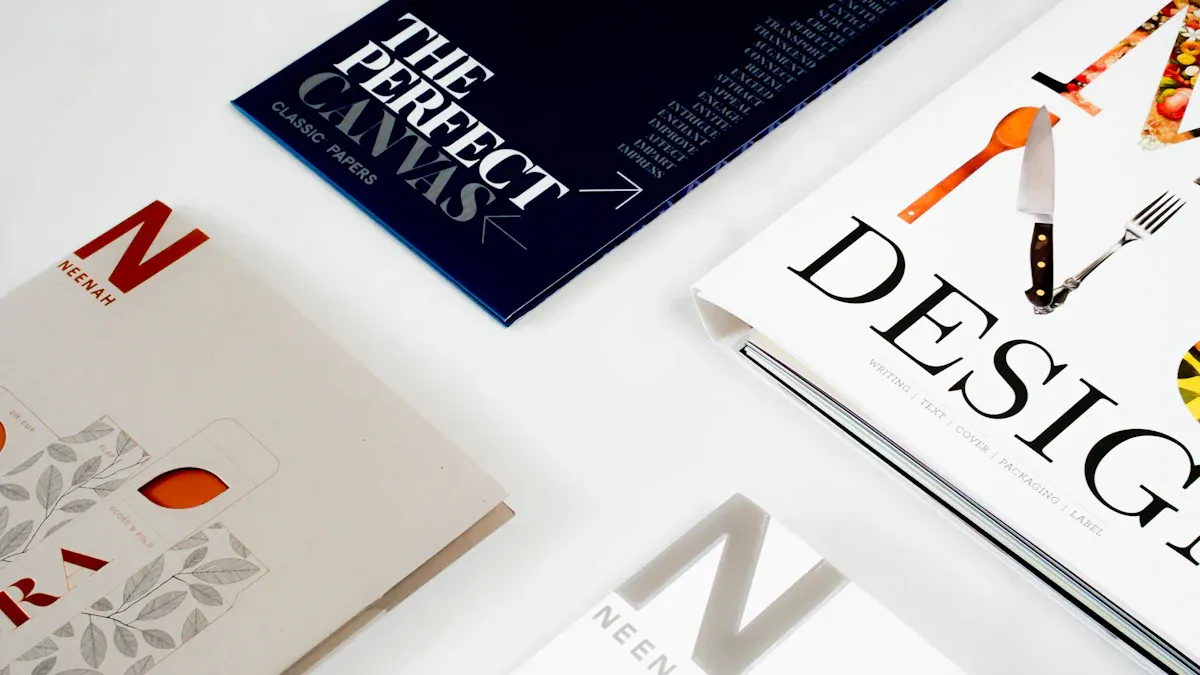
You can make your packaging look cool with creative ideas. Custom die cutting lets you use shapes and designs people remember. It helps your packaging feel special and look different from others. Here are some popular ideas:
| Design Idea | Description |
| Sleeve Business Card | A business card with a die cut logo for a fancy look. |
| Tri-'Cloud' Brochure | A modern brochure with cool die cut features for extra style. |
| Architectural Floor-Plan | A logo and floor-plan with custom die cutting for architects. |
| Packaging for Meal Kits | Packaging for food, using custom die cutting for easy use. |
| Organic Dried Fruit Packaging | Simple packaging with special shapes for organic products. |
Custom die cutting helps your brand get noticed.
Special shapes can help people feel closer to your product.
You can use custom die cutting to show your logo or make opening fun.
Sketching and Feasibility Review
Begin your design by drawing ideas on paper or using software. Try different layouts and pick what works best for you. Before making your packaging, check if your design will work well. You should:
Find ways to make assembly easy.
Think about using fewer parts or simple attachment methods.
Add part tolerances to your drawings so pieces fit right.
Make sure hole spots and bend angles are safe.
Custom die cutting works best when you plan for accuracy. Even small mistakes can cause problems, so always check your drawings carefully.
Custom Solutions with Oyang
Oyang lets you customize your packaging. You can choose from many pouch types, like standard, shaped, and multifunctional pouches. Oyang’s team helps you pick the best custom die cutting solution for your product. This makes your packaging better and helps your production run smoothly.
Oyang is great at flexible packaging equipment.
You get custom die cutting for any project, big or small.
Customization lets you match your packaging to your brand and product.
Tip: Use custom die cutting to make packaging that is easy to use, looks nice, and helps your brand grow.
Technical Preparation for Die Cutting Process
Getting ready for the die cutting process is important if you want your packaging to look professional and work well. You need to set up your files, add cut lines, and make sure everything lines up. Oyang’s Die Cutting Machine helps you get the best results with its smart features and high accuracy.
File Setup and Cut Lines
You start by preparing your design file. You need to make sure your artwork and cut lines are on separate layers. This helps the die cutting machine know where to cut and where to print. You should use spot colors for the die cut lines so they stand out. Most designers use bright colors for these lines, like magenta or yellow.
Here are the steps you should follow for file setup:
Create a separate layer for the die cut line.
Use a spot color for the cut line to make it easy to see.
Draw your die line with the Pen tool or Shape tools.
Export your file as a PDF to keep the vector quality.
Set the color mode to CMYK for printing.
Make sure your artwork and die lines are on different layers.
You can use different file formats for the die cutting process. The table below shows which format works best for each use:
| File Format | Best Use Case |
| PDF | Professional die cutting and printing |
| SVG | Laser cutting and digital applications |
| DXF | CAD and technical cutting |
You should always test a sample cut before starting the full cutting process. This helps you check alignment and make sure your design works with the die cutting machine.
Bleed and Registration
Bleed is a key part of the die cutting process. You need to extend your background graphics past the cut line. This stops white edges from showing up after the cutting process. You should add a bleed of 0.125 inches (3 mm) on all sides. This makes your packaging look clean and professional.
Registration marks help the die cutting machine line up your design. You need to set these marks in your design file. Make sure the marks match the software and hardware you use. Put cut lines on a separate layer so they do not print on your final product. Leave space for pinch wheels if you use a plotter. This keeps your design safe during the cutting process.
Here are some best practices for bleed and registration:
Bleed covers the whole design and stops white edges.
Registration marks keep your design lined up during the die cutting process.
Arrange decals in panels with a black box for easy alignment.
| Best Practice | Description |
| Use Correct Registration Marks | Make sure marks match your software and hardware. |
| Separate Cut Lines Layer | Put cut lines on a different layer to avoid printing them. |
| Space for Pinch Wheels | Leave room for pinch wheels to work during the cutting process. |
Tip: Always check your bleed and registration marks before you start the die cutting process. This helps you avoid mistakes and keeps your packaging looking sharp.
Oyang Die Cutting Machine Features
Oyang’s Die Cutting Machine gives you advanced technology for the die cutting process. You get high precision and strong stability. The machine works fast, so you can finish mass production quickly. You can use it with many materials, like corrugated cardboard, card stock, and plastic film.
| Feature | Description |
| High Precision | Advanced die cutting technology gives you accurate and flawless cuts. |
| High Efficiency | Fast speed helps you finish mass production quickly. |
| Strong Stability | The machine works for long hours without problems. |
| Intelligent Operation | The control panel is easy to use and helps you set up the process fast. |
| Versatility | You can die cut many materials for different packaging needs. |
Oyang’s machine uses smart software to help you set up your files and cut lines. You get quick changeovers, so you can switch between jobs without wasting time. The machine’s accuracy means every die cut matches your design. You can trust the die cutting process to give you perfect results every time.
Note: Oyang’s Die Cutting Machine helps you save time and materials. You get high-quality packaging with less waste. The advanced features make your die cutting process smooth and reliable.
Prototyping and Testing in Die Cutting
![Prototyping and Testing in Die Cutting]()
Image Source: pexels
Creating Prototypes
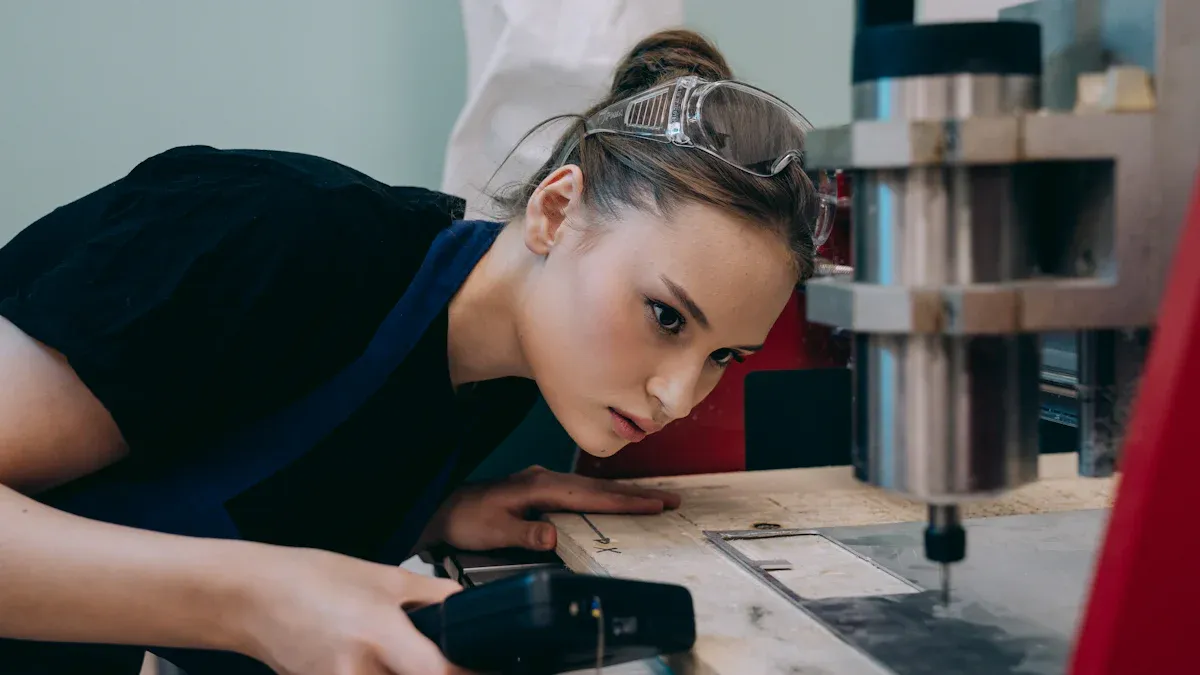
You start the die cutting process by making prototypes. Prototypes help you see your design in real life before you make many copies. Digital die cutting lets you create prototypes quickly from CAD files. You do not need to wait for special tools. You can change your design fast by editing the file. This method works with many materials like paper, foam, wood, and even metal. Oyang’s machines give you high precision, so your prototypes match your design closely. You can make a prototype in just a few days, which saves you time and helps you move forward faster.
Digital die cutting uses CAD files for fast results.
You can test different materials, such as cork, foam, or stainless steel.
Oyang’s machines keep every cut accurate within a tiny tolerance.
You can make changes quickly and see new prototypes right away.
Testing Fit and Function
After you create a prototype, you need to test how it fits and works. This step makes sure your die cutting project will succeed. You check the size, shape, and how the parts go together. You also see if the packaging protects the product and looks good. Oyang’s high efficiency helps you test many samples in a short time. Use the table below to see common tests in the die cutting process:
| Testing Process | Description |
| Tolerance Level Tests | Check if the prototype meets size limits. |
| Overall Dimension Tests | Measure the prototype to confirm it is the right size. |
| Fit and Function Tests | Make sure the prototype works as you planned. |
| Client Feedback Integration | Use feedback to improve the design and quality. |
Adjustments for Quality
You may need to make changes after testing your prototype. This step helps you get the best results from the die cutting process. You can adjust the size of holes, change the thickness, or try a new material. Sometimes, you switch to a different cutting method, like laser cutting, for better results. Always define what the part should do, so you know what to change. Make sure all layers line up if your product has more than one layer. Oyang’s machines let you make these changes quickly and keep every cut precise.
Work with parts even if hole sizes change.
Reduce thickness if the part is too strong or heavy.
Make the outer edge bigger for a better fit.
Try digital or laser cutting for special needs.
Tip: Careful testing and adjustments help you find problems early. This way, you get high-quality die cutting results before you start mass production.
Production and Quality Control with Oyang
Preparing for Mass Production
You must get ready before you start making lots of packaging. This step helps your packaging meet high standards for big orders. You follow steps to prepare for the die cutting process:
Design the Die
You make a custom die that fits your packaging design. The die shapes the material into the form you want.
Prepare the Material
You cut the material to the right size. You check for problems like tears, uneven thickness, or wet spots.
Set Up the Machine
You set up the Oyang Die Cutting Machine for your material and die. You change the speed, pressure, and alignment.
Execute the Die Cutting Operation
You start die cutting. You watch for problems and check the first pieces to see if they are correct.
Post-Processing and Finishing
You take out the cut parts. You fold, glue, or emboss them if needed.
Tip: Always check your setup before making a big batch. This helps you avoid mistakes and saves time during die cutting.
Die Cutting Machine Operation
Oyang’s Die Cutting Machine makes production easy and fast. You use a smart panel to control the machine. You can switch jobs quickly, so you save time. The machine works with cardboard, paper, and plastic film.
You load the material onto the machine. You pick the right die and set the cutting details. The machine uses advanced technology for accurate cuts. You watch the process as it happens. You see if the machine works well and if the cuts match your design.
Oyang’s machine cuts fast. You can make thousands of pieces quickly. The machine keeps the process steady, so you do not worry about mistakes. You can change dies easily if you need a new design. The sensors help you find problems early and keep things running smoothly.
You get the same results every time.
You can use different packaging styles without extra setup.
You waste less material because the machine cuts very accurately.
Note: Oyang’s Die Cutting Machine helps you finish work on time and give customers great packaging.
Quality Assurance Steps
You need strong quality checks to make sure every project is good. Oyang uses special tools and systems to check each step. You look at materials before cutting, watch the machine while working, and check finished products for problems.
| Quality Assurance Measure | Description |
| Precision Measurement Tools | You use tools to measure die size and make sure it matches your design. |
| Laser-Driven Bounce Detection | You use lasers to check for die-anvil gaps and keep cut depth the same. |
| Run-Out & Profile Measurement | You check the die shape to make sure every cut looks the same. |
| Blade Sharpness Reports | You read reports about blade sharpness to keep cutting smooth. |
| Post-Installation Validation | You test the die in real production to see if it works right. |
| Statistical Process Control (SPC) | You watch the die cutting process over time to keep it steady. |
| Continuous Improvement Initiatives | You review and improve your quality checks often. |
You also do these things to keep quality high:
Check raw materials for problems, thickness, and wetness.
Set up the die cutter for accurate cuts.
Watch how the machine works during die cutting.
Look at finished products to find defects.
Use automatic inspection systems to lower human mistakes.
Oyang’s team helps you set up these checks. You get help to fix problems and make your process better. You can trust Oyang to help you make perfect packaging every time.
Tip: Regular quality checks help you find problems early and keep your die cutting process working well.
Challenges and Solutions in Die Cut Design
Overcoming Design Limitations
You can run into problems when making die cut designs. If your material is too thick, the die might not cut well. Thin walls can make the die weak and cause bad cuts. The space between cut parts, called kerf spacing, must be wide enough. If it is too small, the die can jam or break. Uneven pressure during cutting can also cause mistakes.
Make sure your material is thinner than the wall size.
Use features bigger than 0.040 inches for thick materials.
Leave enough space between each part you cut.
Support every rule on the die board for better cuts.
Adjust the die cutting plate to spread pressure evenly.
Change old parts to keep your cuts sharp.
Tip: Pick materials that work with your design and machine. This helps you stop many problems before they start.
Troubleshooting Production Issues
Production problems can slow down your work. Blades can get dull and cause rough or bad cuts. Sometimes, the size is wrong or the material splits. Check and change blades often to fix this. Set the right pressure for your material. Make sure the die lines up before you start.
Other problems are matrix breaking and labels coming off. If the matrix breaks, check the space between parts and change the design if needed. If labels lift, measure the liner and change the material or die.
Take care of your tools so they last longer.
Use the right pressure to stop the die from wearing out.
Check your material to make sure it fits your die.
Watch for problems like matrix breaks or labels lifting and fix them fast.
Oyang’s Support and Service
Oyang helps you fix die cut design problems with good support. The machines are easy to use, so you learn fast. You can switch jobs quickly and save time. Oyang’s team answers your questions and helps you set up and learn. Many people trust Oyang because they help keep work going. You can count on Oyang for quick help and smart advice.
Note: Oyang’s help and service make your die cutting projects easier and better.
Tips for Successful Die Cut Design
Best Practices for Die Cutting
You can do well with die cut design by following easy steps. First, use CAD software to make a digital plan. This helps you pick the right size and type. Always add a bleed area past the label’s edge. Put an outline overlay in your file to keep edges safe. Do not use sharp corners because they can rip. Try new shapes and pictures to make your packaging special. Good machines help you save material and keep cuts neat.
Tip: Cut a sample before making many. This helps you find mistakes early.
Collaboration and Communication
Working with others makes your die cut design stronger. Talking with the manufacturer helps fix problems fast. Share your ideas and ask questions a lot. Designers and die cutting experts should talk often to solve issues. Open talks help you get advice and feedback. When you work together, your results are more exact. CAD software helps you make detailed templates for good cuts. Good partners help you reach your die cut design goals.
Talk to your team many times.
Share your files and ideas.
Ask experts for feedback.
Avoiding Common Mistakes
You can stop problems in die cut design by watching for mistakes. The table below lists mistakes and how to fix them:
| Common Mistakes | Solutions |
| Using a Wrong Pressure Sensitive Adhesive | Pick the right adhesive by checking strength, life, and temperature. |
| Not Having Specific Machining Tolerances | Match the gasket with the right tolerances for the cutting process. |
| Ignoring Test Cuts | Do test cuts to learn about the material and improve future designs. |
Test cuts show you how materials act. Pick adhesives that work for your needs. Know the tolerances for your project. These steps help you get the best die cut design results.
Note: Careful planning and teamwork help you stop mistakes and make great die cut design projects.
You can get great results if you follow a step-by-step die cut design process. This way gives you many good things:
| Benefit | Description |
| Improved manufacturability | Designs are easier to make and have fewer mistakes. |
| Optimized process planning | Work goes smoothly and saves time and materials. |
| Enhanced quality control | Products are high quality and have fewer problems. |
| Reduced costs | Fewer errors help you spend less money. |
| Increased efficiency | Production is faster and uses materials better. |
Oyang’s Die Cutting Machine lets you make strong and tidy packaging. You use less material, pick eco-friendly options, and get very accurate cuts. If you want more help, check out Oyang Group’s solutions or read about their die-cutting machines.
FAQ
What materials can you use with a die cutting machine?
You can use paper, cardboard, corrugated board, and plastic film. Oyang’s Die Cutting Machine works with many types of packaging materials. You get clean and accurate cuts every time.
How do you set up a file for die cut design?
You create separate layers for artwork and cut lines. Use spot colors for cut lines. Export your file as a PDF or AI format. This helps the machine read your design correctly.
How do you check quality during die cutting?
You measure each cut with special tools. You watch the machine while it works. You inspect finished products for defects. Oyang’s team helps you set up strong quality checks.
Can you make custom shapes with die cutting?
You can create custom shapes for packaging, labels, and cards. Oyang’s machine lets you design unique forms that match your brand. You get creative freedom for your project.
How long does it take to get a die cutting machine from Oyang?
You usually receive your machine in 1 to 2 months after you pay the deposit. Oyang ships quickly and helps you start your project on time.
Tip: If you have more questions, visit Oyang Group’s website or contact their support team for help.