You might have these die cutting machine problems: uneven cuts, incomplete cuts, jamming, misalignment, loud noises, feeding problems, and plate wear. Look at the most common problems below:
| Problem | Description |
| Inconsistent Cutting | Poor care wastes materials and costs more money |
| Misaligned Blades | Cuts are crooked, thick stacks need fixing |
| Dented or Warped Blades | Edges look rough, results are bad, needs new blades |
| ‘Fluffy’ Edges | Dull blades make rough edges, needs new blades |
| General Wear and Tear | Dull blades or wrong setup, needs fixing |
| Burst Lines and Dark Lines | Too much pressure or bad setup causes these flaws |
Oyang gives smart and easy solutions. Try these tips to fix die cutting fast and keep your work going well.
Key Takeaways
Uneven Cuts in Die Cutting Machine
Causes of Uneven Cutting
Sometimes, your die cutting machine does not cut the same way every time. This can waste your materials and make your work slower. Why does this happen? Here is a simple table that shows the main reasons:
| Cause | Description |
| Dull or Worn Edges | Cutting dies get dull after many uses. You need to sharpen or change them. |
| Misalignment | If blades or guides are not lined up, cuts will look crooked or uneven. |
| Material Variations | Materials with different thickness or hardness need changes in pressure and speed. |
| Machine Upkeep | If you do not clean or check your machine, it can get dirty and not work well. |
Dirty parts or loose bolts can also cause problems with die cutting. If you do not check your machine often, you might see more mistakes. Always look for blades that are not lined up, because they can make big errors.
How to Fix Uneven Cuts
You can fix uneven cuts by doing a few simple things. First, look at your cutting dies to see if they have any damage. Change them if they are worn out. Then, check if your machine is lined up right. Tighten any bolts or fasteners that are loose. Set the pressure so every cut is the same. Clean the machine to get rid of dust or dirt.
Here is a short list to help you remember:
Look at cutting dies and change them if they are dull or broken.
Set the machine so the pressure is even.
Tighten bolts and check if blades are lined up.
Clean all parts before you start working.
If you do these things, you will fix most problems and your die cutting will work well.
Die Cutting Machine Not Cutting Through Material
Common Die Cutting Issues
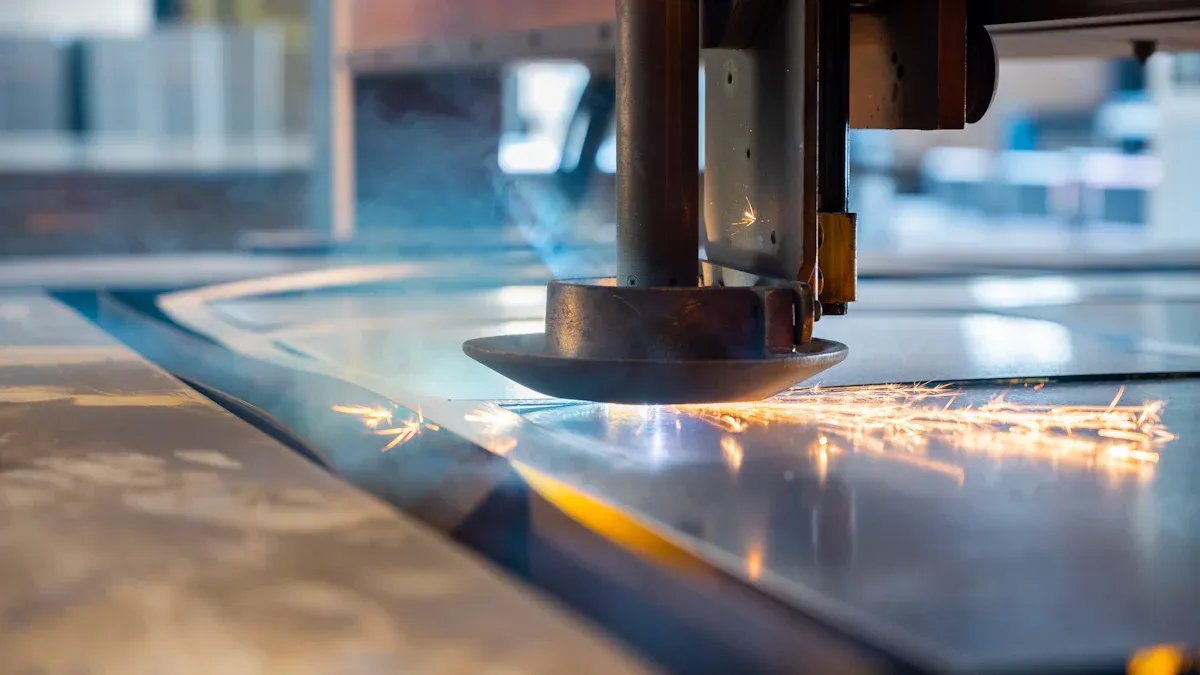
Sometimes, your die cutting machine does not cut all the way. This can be annoying when you want neat shapes. There are a few reasons why this happens. Look at this table for some common problems:
| Issue | Description |
| Insufficient cutting pressure | Bad pressure settings make the machine press unevenly. |
| Blade wear | Using the blades a lot makes them dull and less sharp. |
| Paper thickness variations | If the paper is too thick or thin, the pressure might not work right. |
If your die stops cutting, you may have one of these problems. Sometimes, the material is too thick. Other times, the blades are not sharp anymore. The pressure setting might also be wrong. These issues can waste your materials and slow you down.
How to Fix Incomplete Cuts
You can fix incomplete cuts with a few easy steps. First, check if you are using enough pressure. If the pressure is too low, the machine will not cut through. Next, look at the material thickness. If the material does not match the die, the cuts will not be good. Check the cutting dies for dull blades or worn parts. Change them if you need to.
Use the right pressure so the die does not wear out fast.
Make sure the material thickness matches what the die needs.
Look at the die for dull blades or worn parts.
If you do these things, you will fix most incomplete cuts. Your die cutting machine will work better and give you clean shapes.
Jamming Problems in Die Cutting Machine
Why Jams Happen
Jamming can stop your work and make you feel frustrated. You want your die cutting machine to run smoothly, but sometimes things get stuck. Let’s look at the main reasons jams happen:
| Cause | Description |
| Overfilling the Die | If you put too much material in the die, it can jam. Always load the material evenly and keep it inside the edges. |
| Foreign Objects | Small pieces or debris can get stuck in the cutting area. Check for anything that does not belong and remove it. |
| Worn Rollers | Rollers help move the material. If they get old or damaged, jams can happen. Replace them when needed. |
You might also see jams if you feed the material the wrong way. Make sure you guide the material straight and do not pull or push too hard. Incorrect handling can cause feeding problems and even damage the machine.
How to Fix Jamming
You can fix most jams with a few simple steps. First, turn off the machine for safety. Then, check for any foreign objects or scraps near the cutting dies. Remove anything that should not be there. Look at the rollers and see if they are worn out. If they are, replace them.
Here are some tips to keep your die cutting running well:
Clean the inside of the machine after each job to remove dust and debris.
Lubricate and check all moving parts often.
Use the right material and load it evenly.
Inspect and calibrate the machine on a regular schedule.
Oyang’s die cutting machine makes this even easier. Its user-friendly design helps you change materials quickly and spot jams before they cause trouble. The advanced technology keeps everything running smoothly, so you spend less time fixing and more time working. Good maintenance and smart material choices are the best way to avoid jams and keep your machine in top shape.
Misalignment Issues in Die Cutting
Causes of Misalignment
Sometimes, your die cutting machine cuts crooked or misses some sheets. Misalignment can happen for different reasons. The feeding mechanism might move the material out of place. Uneven tension in the material can make it shift. Mechanical parts can wear down and cause problems. Here are some things that can go wrong:
Uneven pressure from the die cutter and wire puts stress on the platform.
Connecting rods with different heights cause uneven pressure.
The main drive chain wears out and messes up positioning.
The intermittent mechanism shakes while running.
Positioning blocks wear out and lose accuracy.
Paperboard stretches or bends, causing overprinting.
Operator mistakes or low precision of the die-cut version.
Improper feeding makes the material move.
Uneven tension in the material causes misaligned blades.
Misalignment happens a lot, especially if sensors break or the setup is wrong. If you do not check your machine often, you will see more crooked cuts and wasted materials.
How to Fix Misalignment
You can fix misalignment by doing a few easy things. First, make a plan to check your machine often. Inspect and calibrate the feeder system regularly. Use standard calibration steps to check and adjust the machine’s positions. Keep your workshop steady so paper does not stretch or shrink. Here is a table with solutions:
| Solution | Description |
| Regular maintenance | Inspect and calibrate feeder system parameters often. |
| Standard calibration | Check and adjust reference positions on a schedule. |
| Environmental control | Keep workshop conditions steady to prevent paper changes. |
If you follow these steps, your die cutting will stay accurate. Oyang’s machines make calibration simple, so you spend less time fixing and more time making good cuts. When you see crooked cuts or misaligned blades, fix them quickly. Change worn cutting dies and teach operators to avoid mistakes. You will get better results and waste less.
Excessive Noise or Vibrations
Common Problems with Noise
You might notice your die cutting machine gets loud or starts to shake. This can make your workspace uncomfortable and even slow down your work. Where does all that noise come from? Here are some common sources:
Motors, gears, and other moving parts make noise when the machine runs.
If you run the machine at higher speeds, it gets even louder.
Loose bearings, misaligned gears, or damaged belts can cause extra noise and vibrations.
When the cutting blade meets the material, friction happens. Harder materials make more noise.
Dull or worn-out cutting dies need more force, which leads to more shaking and sound.
Noise and vibrations are not just annoying. They can also mean something is wrong inside your machine. If you ignore these signs, you might end up with bigger problems later.
How to Fix Noise and Vibrations
You can solve most noise and vibration issues with a few simple steps. Regular maintenance is your best friend here. Try these tips:
Inspect your machine often. Look for loose parts or anything that seems out of place.
Lubricate all moving parts. This helps everything run smoothly and keeps the noise down.
Check the alignment of gears and belts. If something is off, fix it right away.
Watch the condition of your blades. Replace them if they get dull or worn out.
Adjust the tension on belts and other parts to keep everything tight.
If you follow these steps, you will keep your die cutting machine running quietly and smoothly. Oyang’s solution focuses on easy maintenance and smart design, so you spend less time fixing and more time working.
Material Feeding Difficulties
Common Die Cutting Issues with Feeding
You might notice your die cutting machine sometimes struggles to feed material smoothly. This can slow down your work and cause mistakes. Here are some common problems you may face:
Material misalignment: The material does not line up right, so the cuts come out wrong. This often happens when the feeding system is not set up well or the material has uneven tension.
Material jamming: The material gets stuck inside the machine. This can happen if the material is too thick, the feeding system is not working well, or static builds up.
Both of these problems can waste time and materials. You want every sheet to move through the machine without trouble.
How to Fix Feeding Problems
You can fix most feeding problems with a few smart steps. First, check the feeding system before you start. Make sure the material lines up straight and the tension feels even. Clean the area around the feeding path to remove dust or scraps. If you see jams, stop the machine and clear them right away.
Oyang’s die cutting machine gives you a big advantage here. The quick changeover feature lets you switch materials fast, so you spend less time setting up. High registration means the machine keeps every sheet in the right spot, which helps prevent misalignment and jams. These features make your work easier and help you get more done in less time.
Regular maintenance also helps. When you check the feeding system often, you catch small issues before they turn into big problems. This solution keeps your die cutting running smoothly and your results looking sharp.
Wear and Tear on Cutting Plates
Signs of Plate Wear
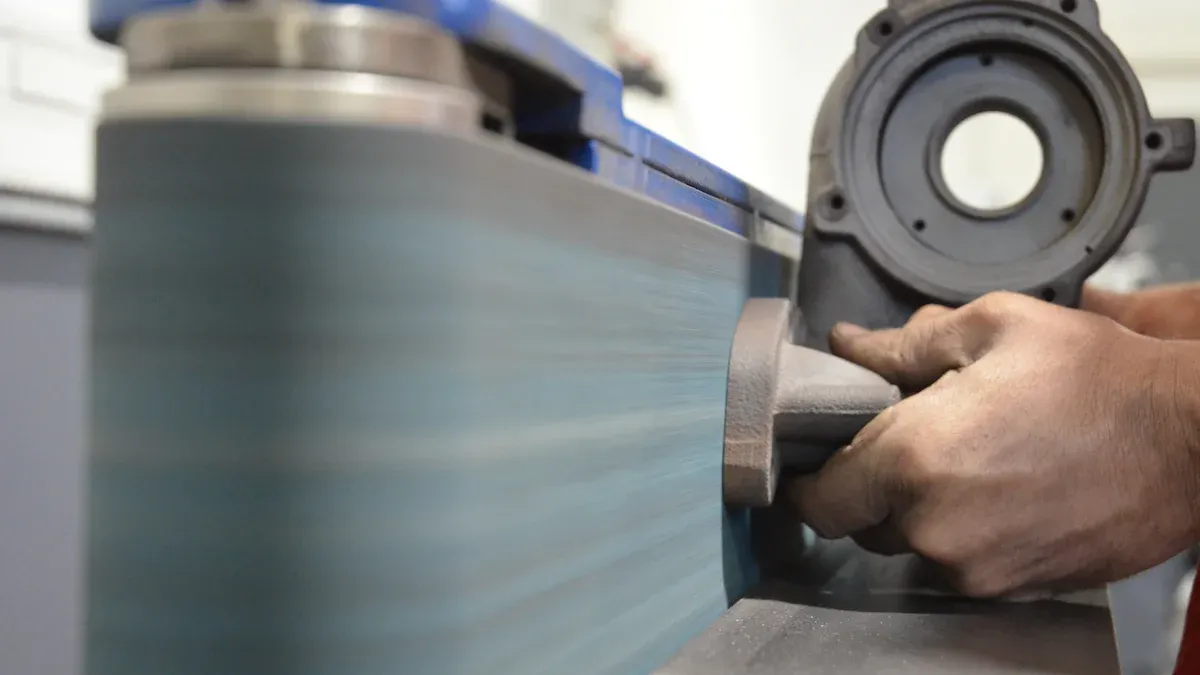
You might notice your die cutting machine does not cut as clean as before. This usually means the cutting plates have started to wear out. Here are some signs you should watch for:
Dull blades make ragged cuts and force you to use more pressure. This can strain your machine.
Dented or warped blades ruin the shape of your cuts. You should replace these right away.
Debris stuck in the die can mess up your work. Always check for small scraps.
Inaccurate cuts often point to dull or damaged blades.
Worn cutting plates lead to poor cutting accuracy.
General wear and tear shows up as uneven edges or shapes that do not match.
If you see any of these problems, your machine needs attention. You want every cut to look sharp and professional.
How to Fix Plate Wear
You can fix plate wear with a few smart steps. First, clean the cutting dies after each job. This keeps debris from building up. Next, check the plates for damage or dull blades. If you spot dented or warped blades, swap them out right away. Regular maintenance helps you catch problems early and keeps your die cutting running smoothly.
You do not need to follow a strict schedule for replacement. Instead, look at the quality of your cuts. In busy shops, you might check the plates after every 50,000 to 100,000 cycles. If you see cuts getting worse, it is time for repair or replacement.
Oyang’s solution makes this process easier. The user-friendly design lets you change plates quickly and get back to work fast. Good maintenance saves you time and money. You will see better results and keep your machine in top shape.
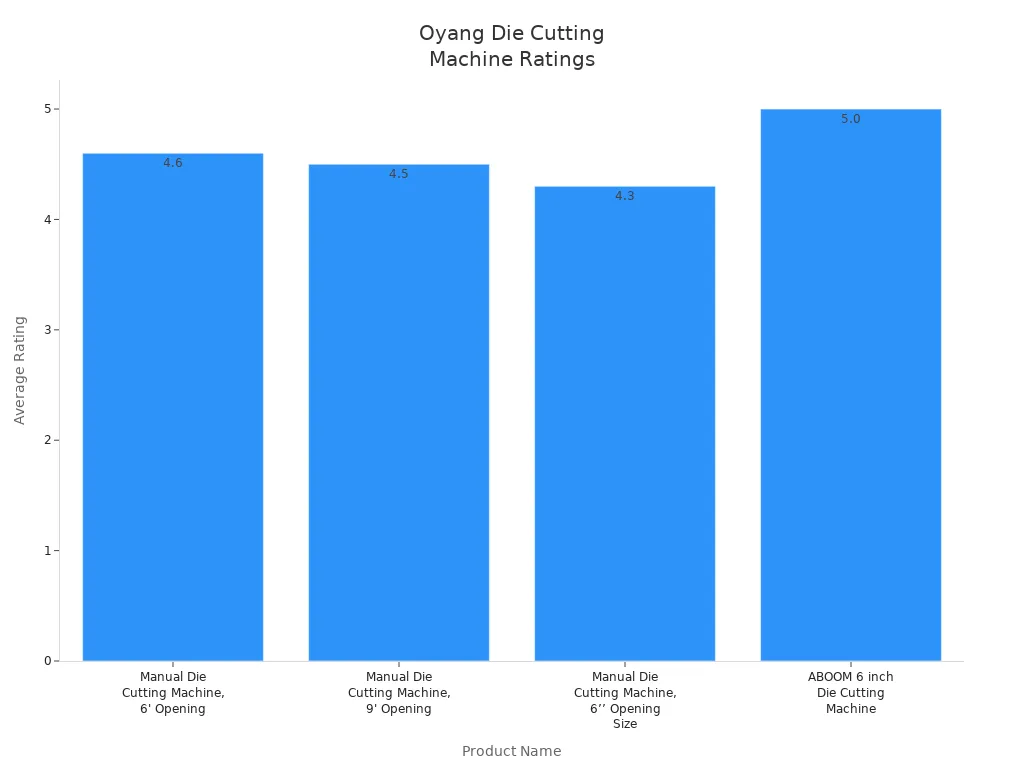
You keep your die cutting machine running longer when you check it often and fix problems fast. Regular maintenance cuts downtime by 30% and helps you save money. Oyang’s die cutting solutions get high ratings from customers.
Apply these tips to boost your results and enjoy lasting value.
FAQ
What are the most common problems with die cutting machines?
You often see uneven cuts, jams, and misalignment. These common problems can slow down your work and waste materials.
How do I know how to fix a die cutting issue?
Check the machine for worn parts or misaligned blades. Follow the steps in this guide to see how to fix each problem quickly.
How often should I maintain my die cutting machine?
You should inspect and clean your machine after every job. Regular checks help you spot issues early and keep everything running smoothly.


